Your used cars and vans, searchable in conversation
For retailers who want a browsing customer to reach the right vehicle, and then a test drive or sales enquiry, without leaving the conversation.
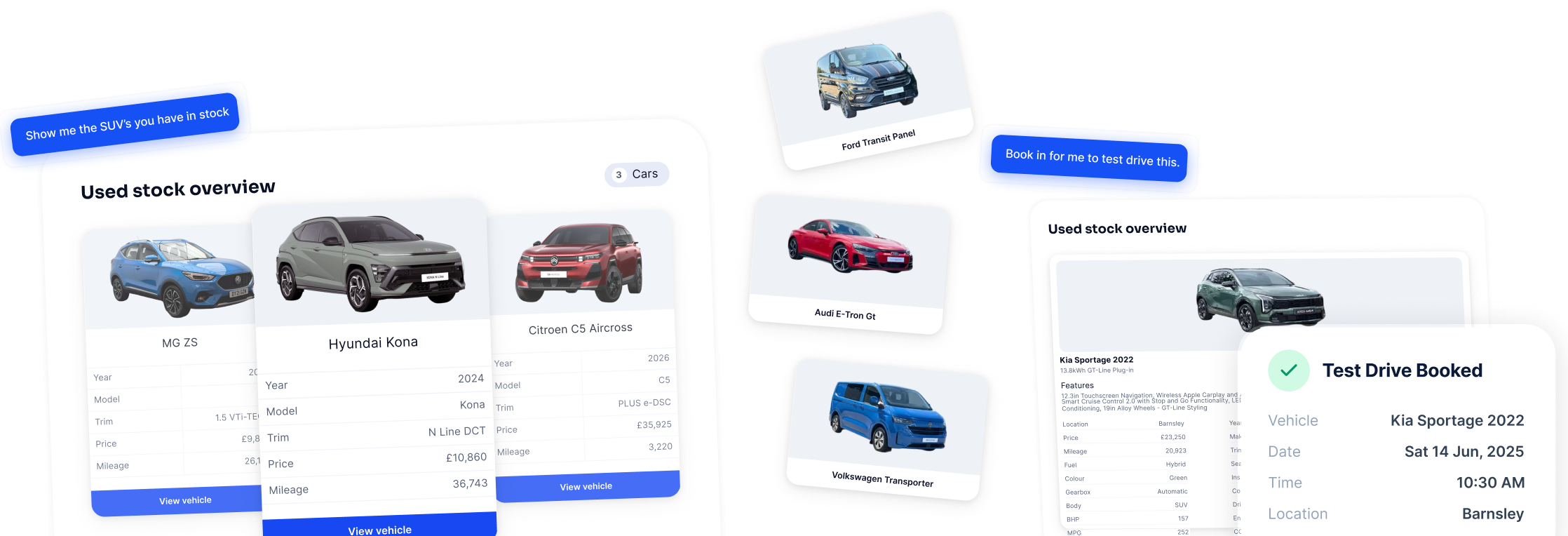






Your customers search in their own words
Budget, specification, location and everything else people actually say, understood in one conversation.
Your customers can ask for an automatic diesel estate under £15,000, electric cars at a particular branch, or the cheapest van you have, and get an answer straight away.
They can keep going from there. Adding a make, tightening the budget, changing the colour or asking for the lowest mileage refines the same search rather than starting a new one, so the conversation moves with them.
They can also ask about one specific vehicle by registration, which is useful when a customer is coming back to something they saw earlier.
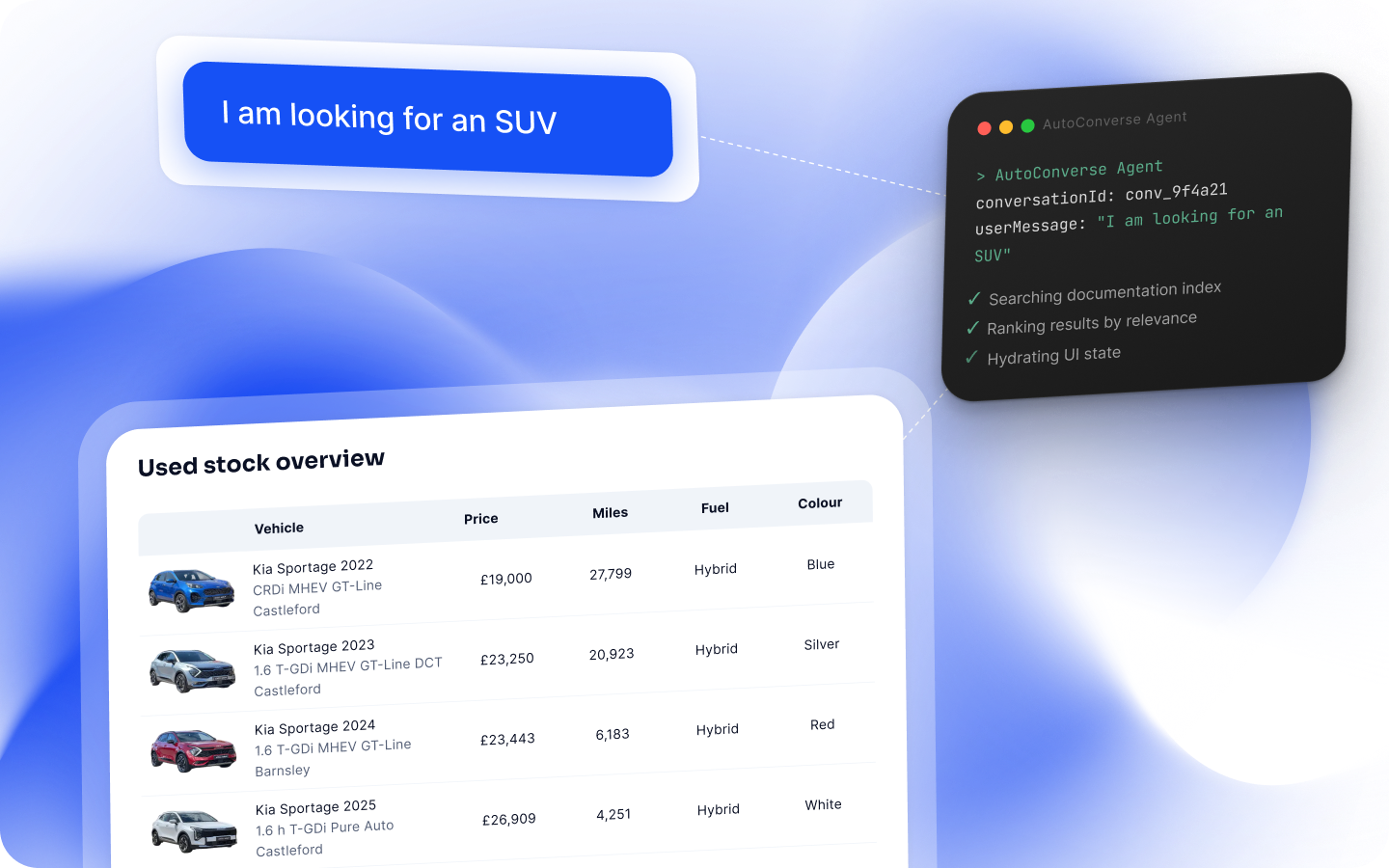
Every answer comes from your own stock
Prices, mileages, specification and availability come from your inventory, not from general knowledge about the model.
Answers are built from the vehicles you actually have. Nothing is added to fill a gap, and vehicles that have sold drop out as your stock updates.
When nothing matches, your customers are told so and helped to widen the search on budget, fuel, make or location. An honest empty answer keeps trust, and it usually turns into a second, better search.
We keep your stock in step with your feed, with a nightly refresh as standard and more frequent updates where your stock moves quickly.
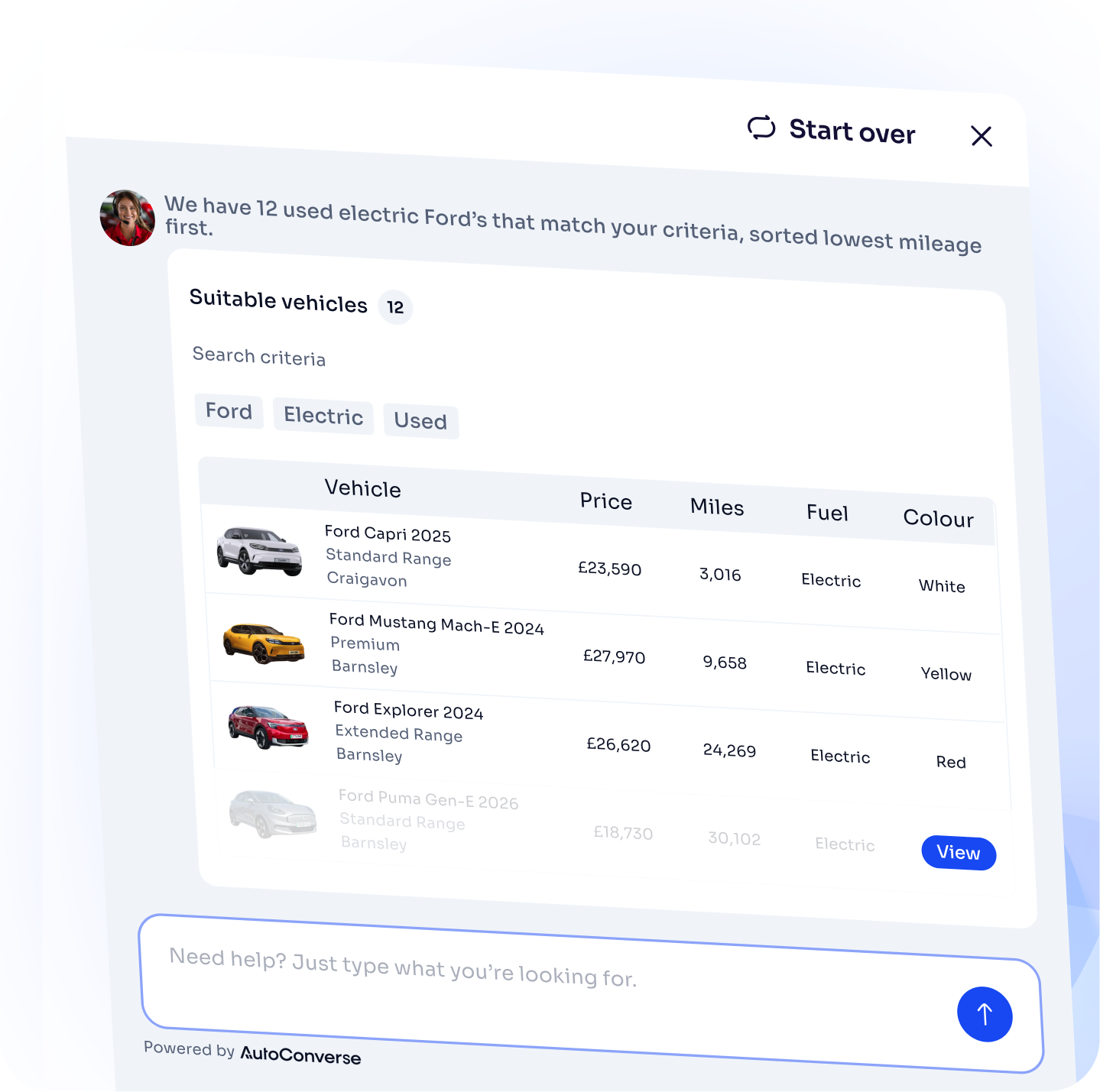
Results change shape as the search narrows
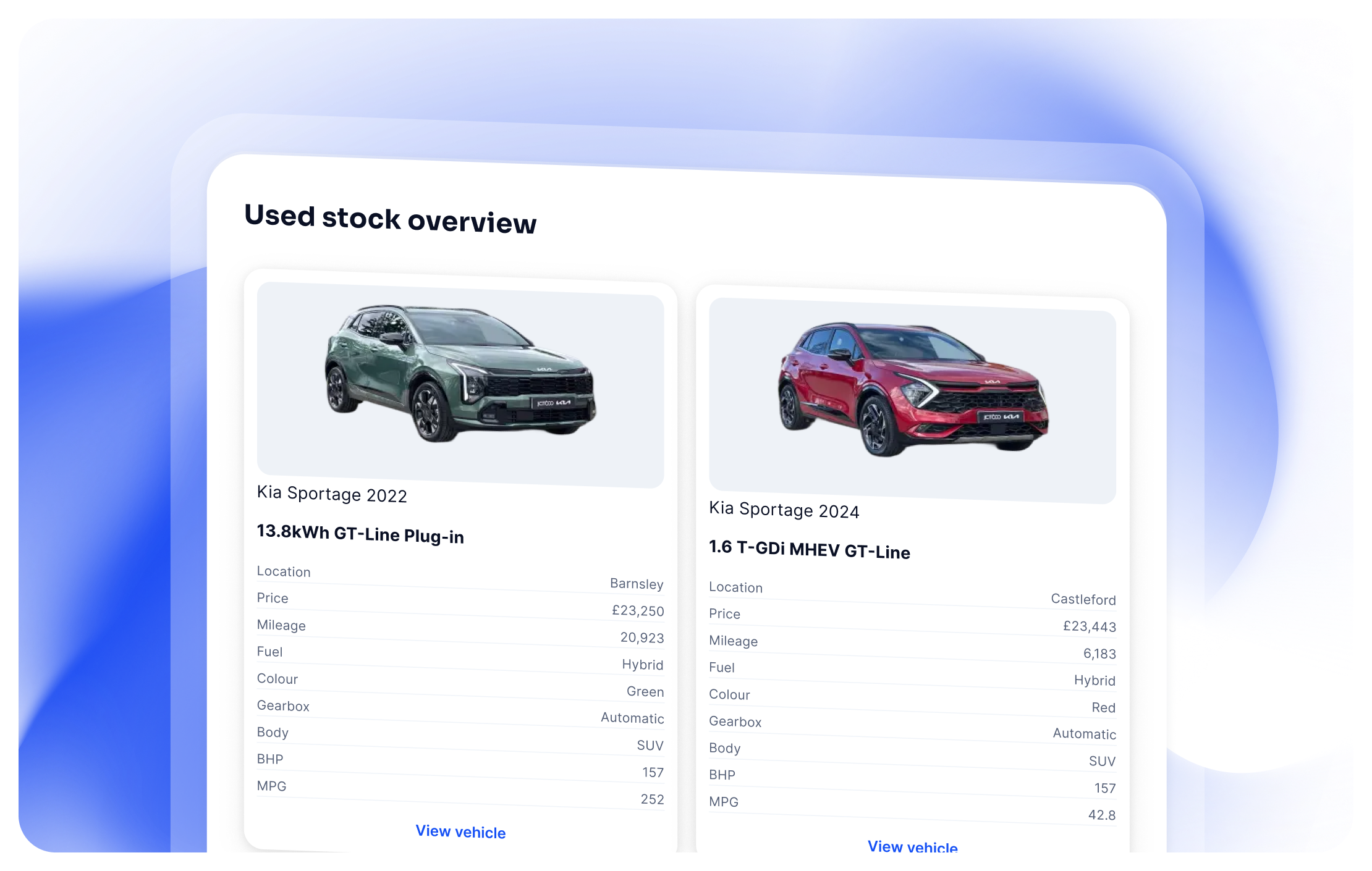
Your customers see the view that suits where they are, from a whole-forecourt overview down to a single vehicle.
A broad question and a shortlist need different answers. Rather than returning the same list every time, the chat presents your stock in the format that fits the size of the result, and gives your customers a clear way to get to the next step.
Your customers search in their own words
Budget, specification, location and everything else people actually say, understood in one conversation — and refined without starting again.
Every answer comes from your own stock
Prices, mileages, specification and availability come from your inventory. Sold vehicles drop out as your stock updates.
Results change shape as the search narrows
Overview when the set is large, table for a mid-sized list, cards for a shortlist, side-by-side for the final choices.
Start with the whole picture, then narrow
Counts and tappable ways to narrow by make, fuel, price, body type or location — each showing how many vehicles sit behind it.
Finish on one vehicle, ready to act
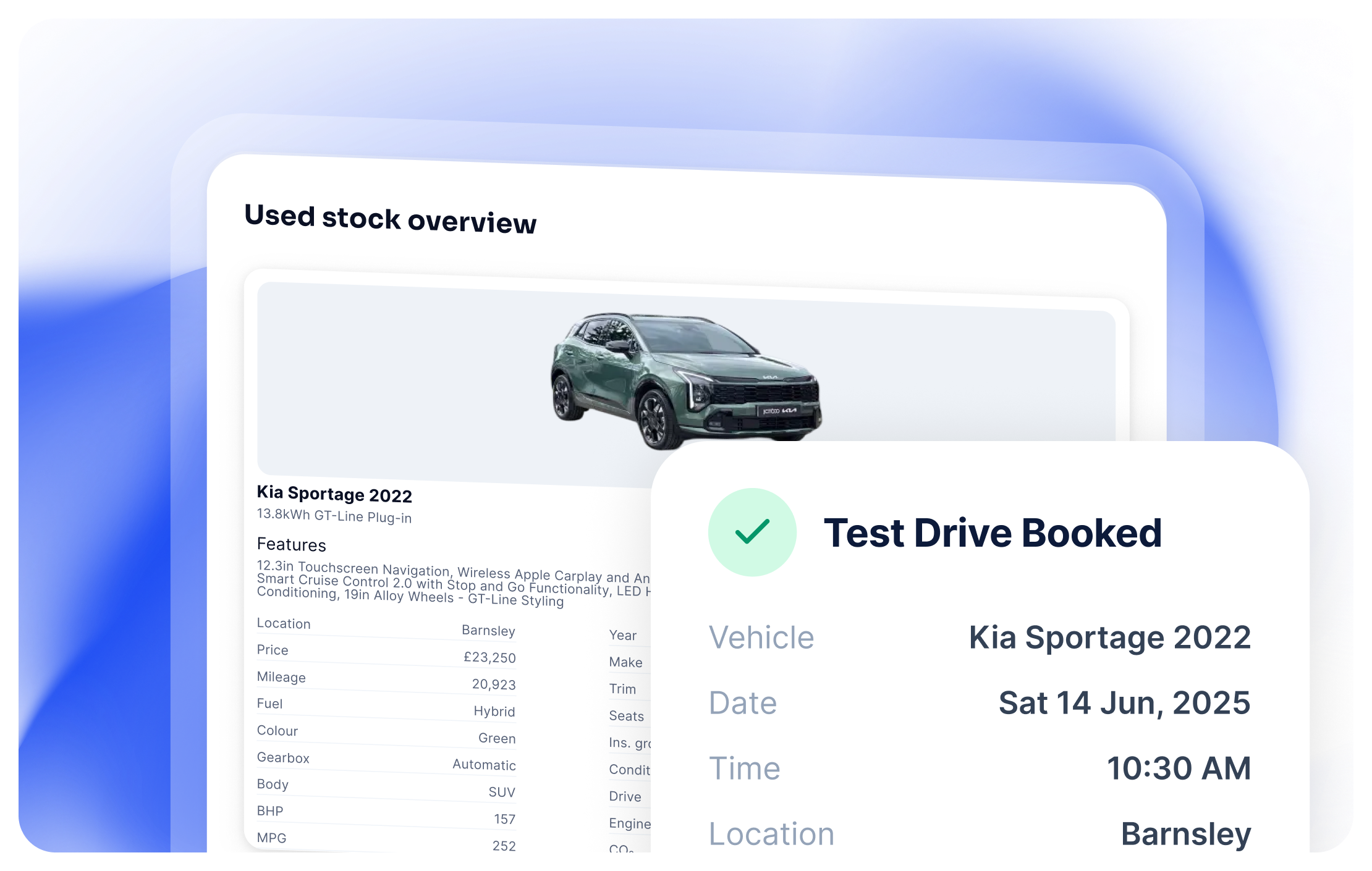
A single match gets the key facts from your record, its photo, a link to the vehicle page, and the option to request a test drive or send an enquiry.
See what shoppers ask for against your stock
Demand from these conversations helps you understand what customers look for in your used inventory.
Cars and vans stay apart
Van buyers get vans, with the filters and branches that make sense for commercials.
Used car and used van searches are handled separately, so a mixed list never comes back and a customer asking about vans is not shown cars that happen to match on price.
Each side uses its own filters and its own branch list, which matters for groups where commercials are held at particular sites.
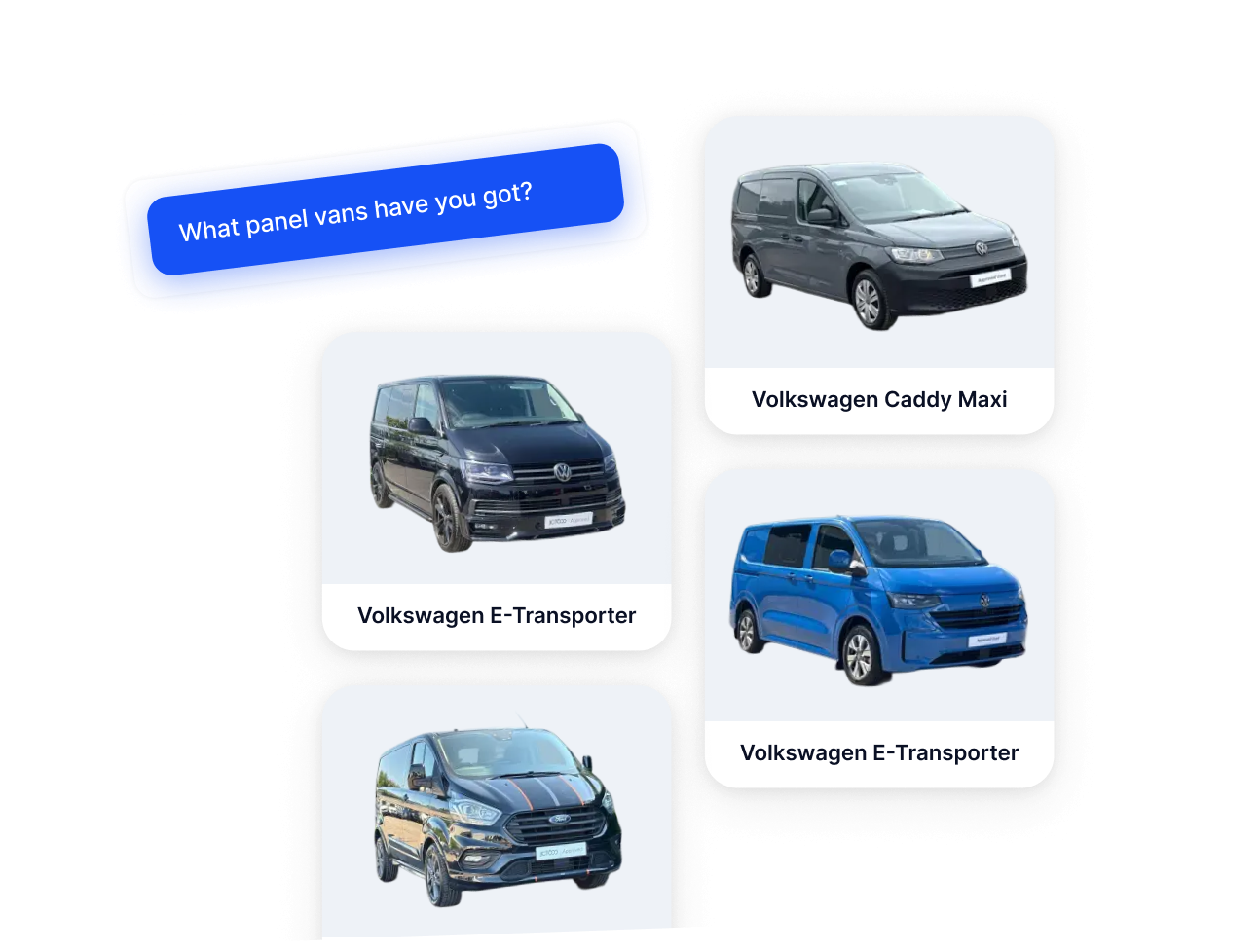
Renderers
Present the best view possible to your users depending on where they are in their search journey. Advance the conversion with smart follow-ups and recommended next steps.
Summary view
When the result set is large, your customers get a stock overview with clear ways to narrow by make, fuel, price, location, and more.
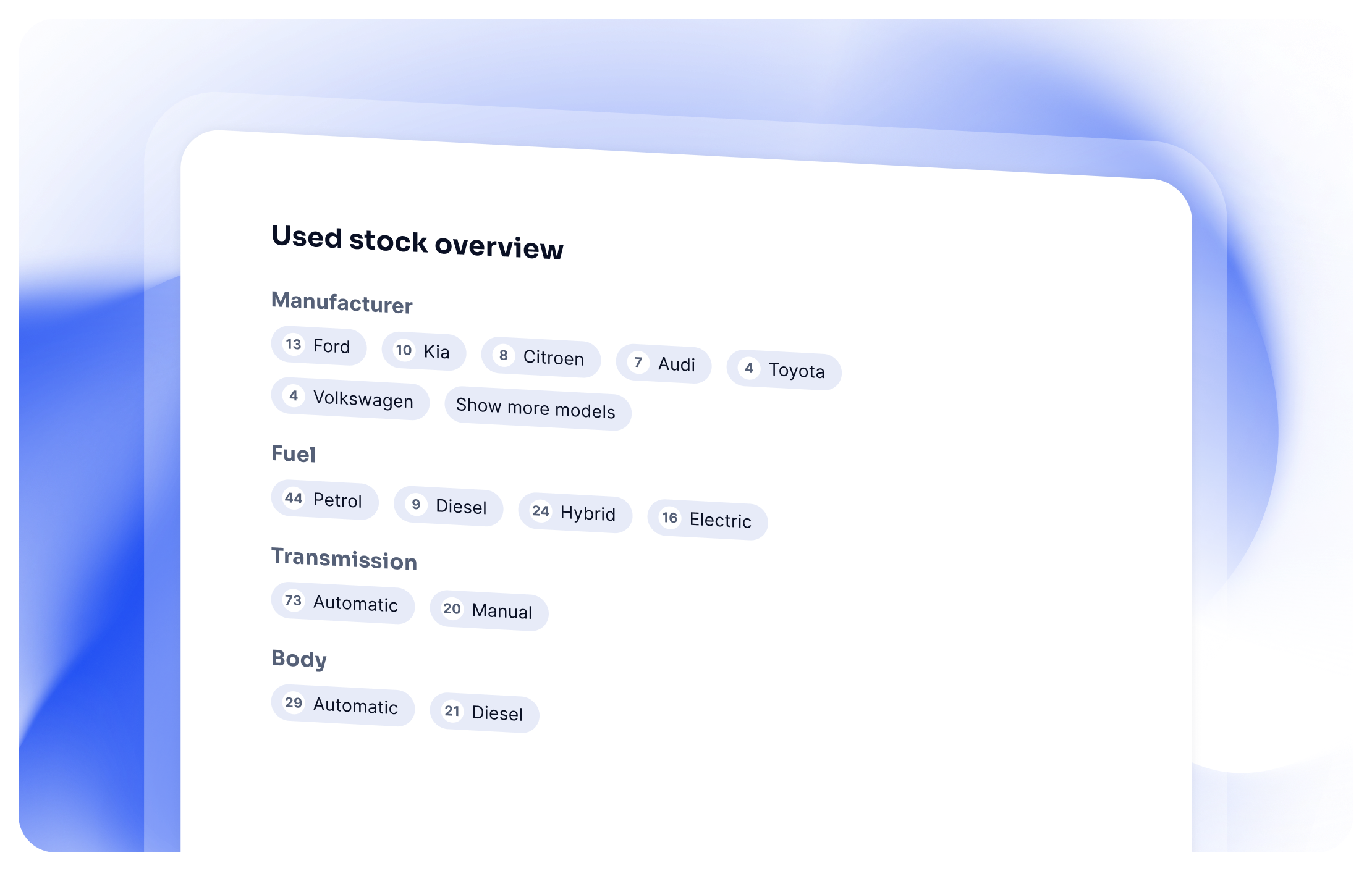
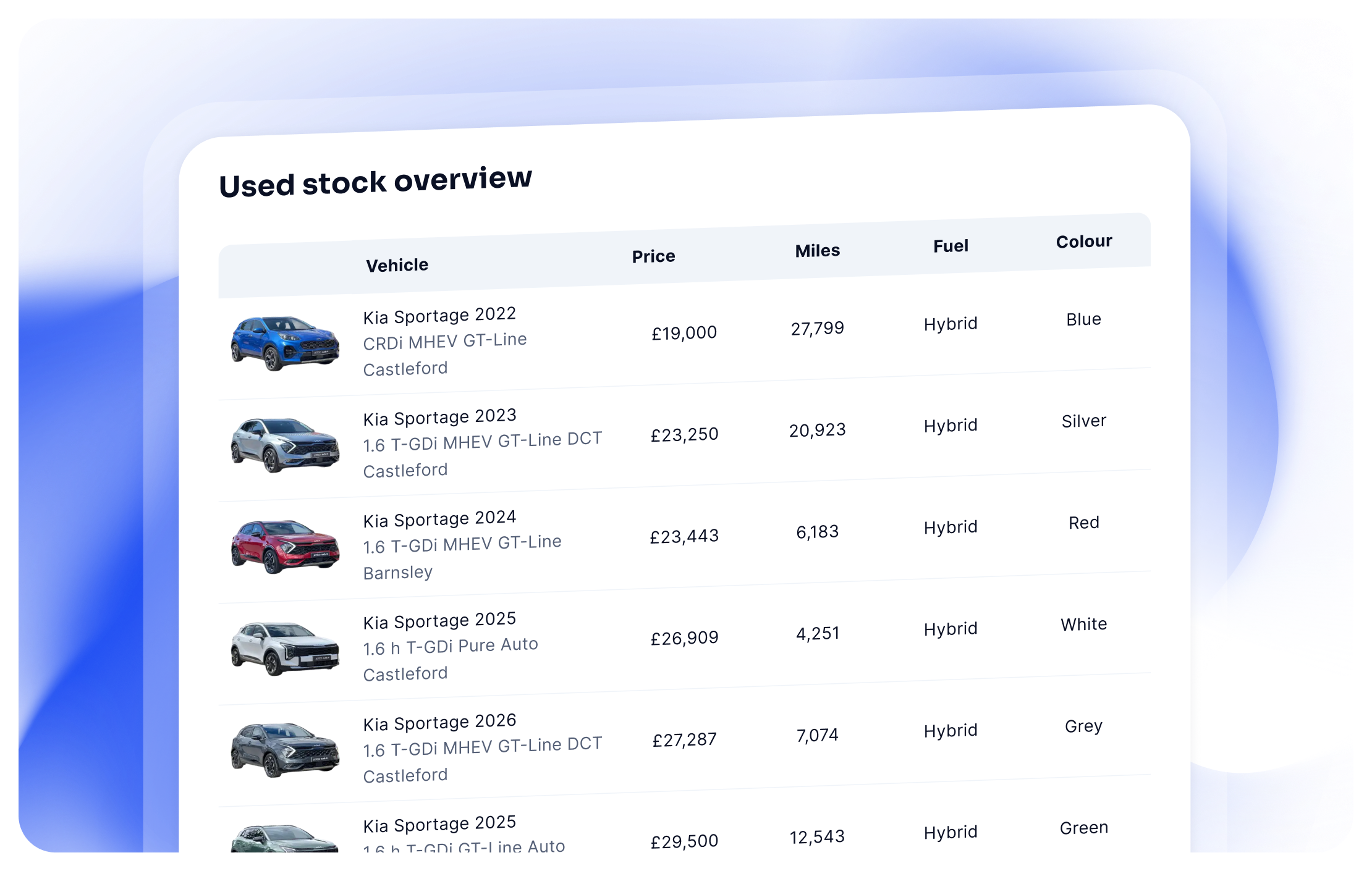
Table view
When the result set is mid-size, customers get a table view so they can compare year, price, mileage, fuel, and key details at a glance.
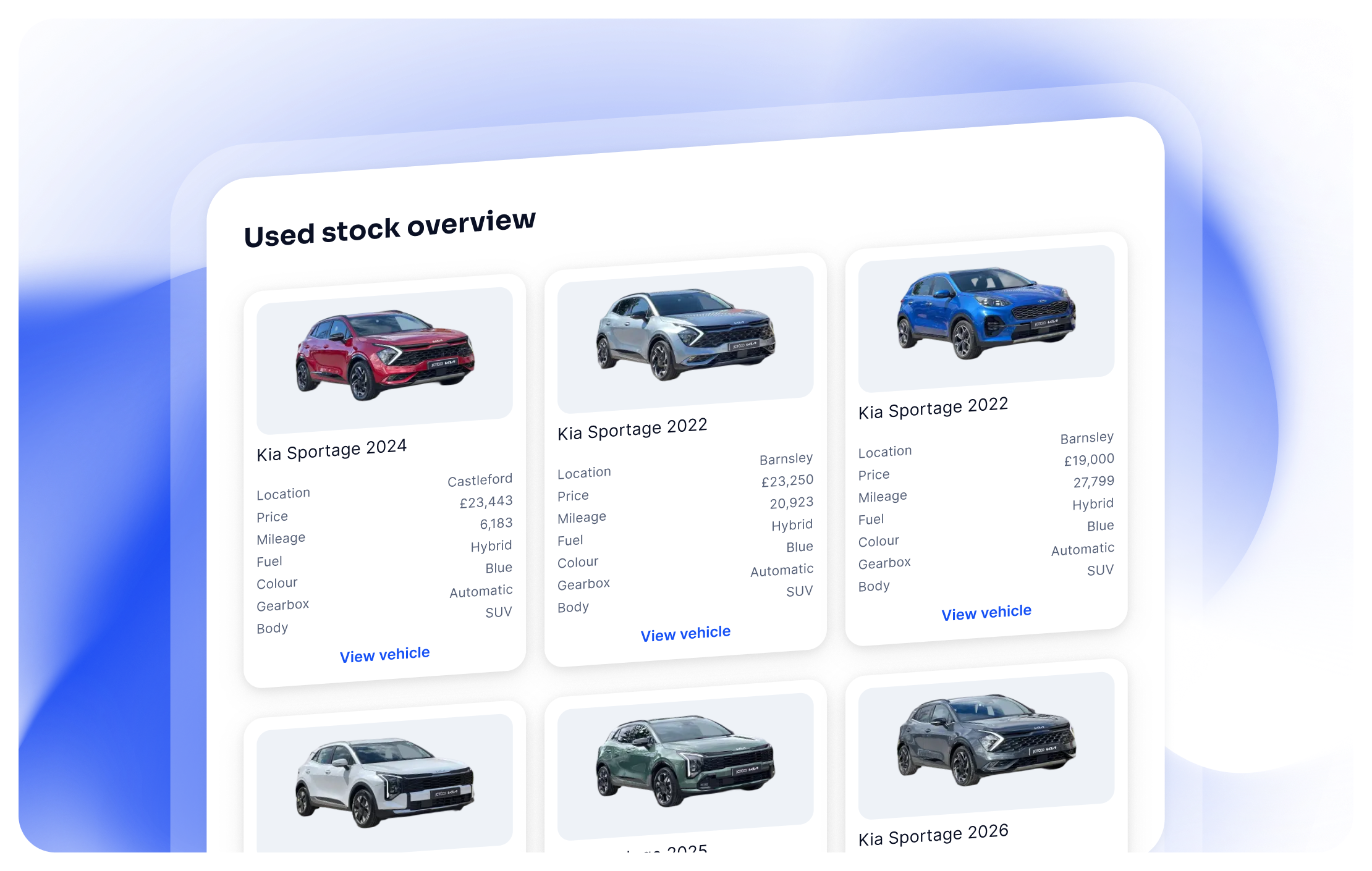
Shortlist view
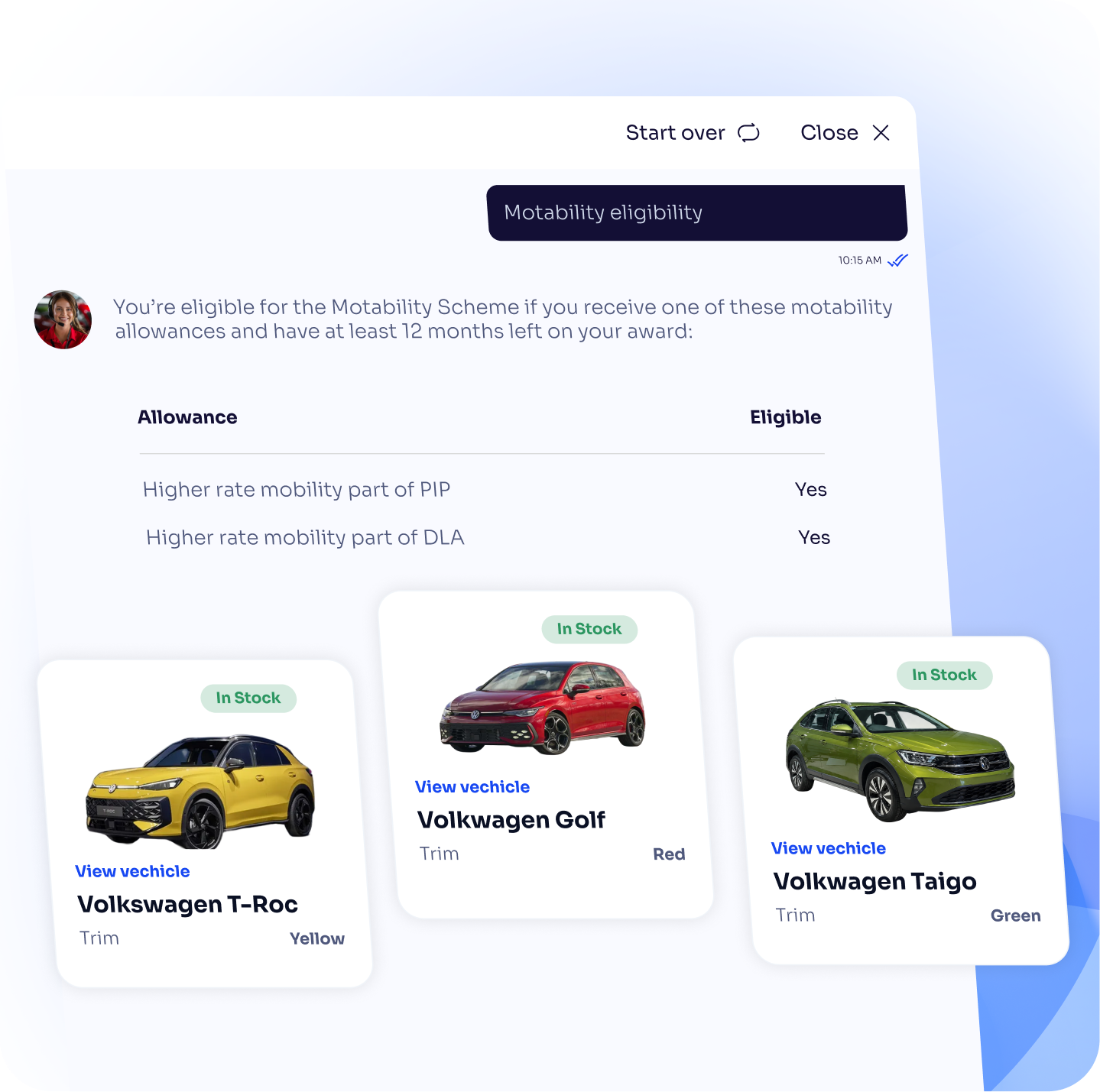
When the result set tightens to a shortlist, your users get vehicle cards - easier to browse and explore the options that are important.
Comparison view
When the result set is down to a few vehicles, customers get a side-by-side comparison so they can weigh options on the details that matter.
Hero view
When the result set is a single vehicle, customers get a full vehicle view, ready for a test drive or sales enquiry.
See it on your dealership website
We can show you AutoConverse running against your real vehicle stock, with your content knowledge and branding — and walk you through the other features of the platform.
This new feature is fantastic. I've had a good play around with it, asking all sorts of questions about colour, price, model and features, and it gave accurate results every time!

Olivia Newton - Head of Group Marketing & Customer Experience
The right vehicle turns into a test drive or an enquiry
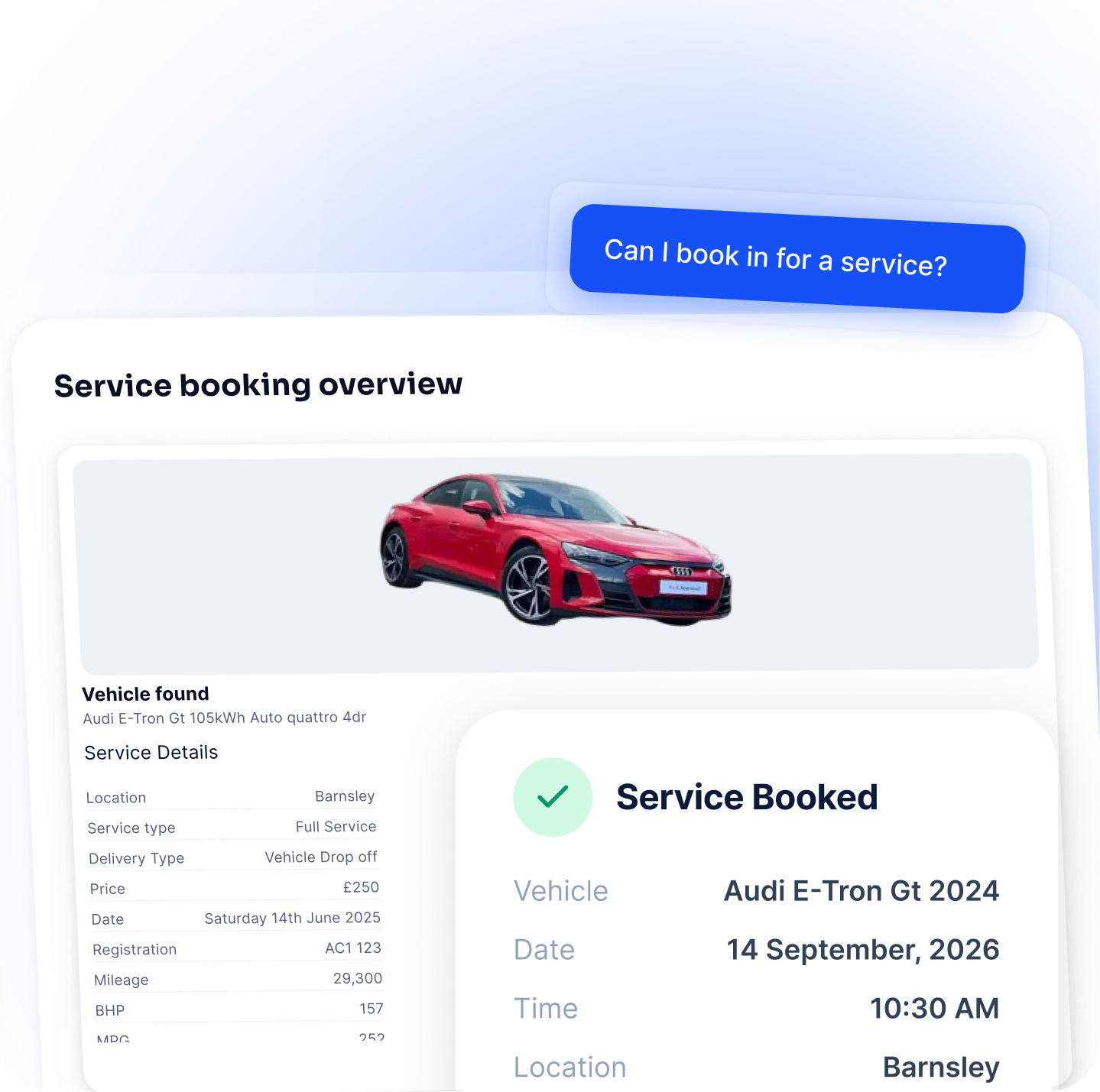
The vehicle your customer is looking at carries into the request, so your team gets context with the lead.
Browsing and enquiring stay distinct. Nothing is sent to your team while your customers are still looking around, which keeps the conversation useful rather than pushy.
When a customer has found the vehicle they want, the request they make can carry that vehicle with it, and your customer reviews and confirms the details before anything reaches you. See Lead Generation for how those requests are gathered and delivered.
We handle the stock feed and the setup
Fully done for you, from talking to your suppliers to the code on your site.
Our integration team works with automotive website and stock suppliers to bring your used cars and vans into AutoConverse, and we keep that running. From you, we need an introduction to your suppliers and a single line of code added to your site once, which your team, your web provider or ours can put in place. We configure the search, the presentation and the branch labelling, then manage and tune it from there.
Add one line of code. We handle the rest.
Your launch checklist
Assigned to AutoConverse
Assigned to you
<script src="https://app.agent.autoconverse.ai/dist/js/launcher.min.js" async onload="AgentLauncher.init()"></script>
See AutoConverse working on your website and vehicle stock
We’ll create a fully functioning AutoConverse demo using your website content, business information and live vehicle stock.
Experience exactly how AutoConverse could answer customer questions, recommend vehicles and generate enquiries for your business.